See clients, open jobs, estimates, invoices, team assignments, messages, and recent activity from one WordPress dashboard.

Practical guides, checklists, and CRM tips for cleaning, landscaping, handyman, renovation, and trade service teams.
Open each guide for a concise introduction to the topic.
A practical evaluation framework for owners comparing spreadsheets, generic CRMs, and field-service platforms.
Choose a CRM by starting with the records your team loses today: requests, customer history, job status, documents, assignments, and communication. The best system is the one your team can maintain consistently without paying for operational complexity it does not use.
A step-by-step migration plan that protects customer data and keeps daily work moving.
Clean the customer list first, define job statuses, decide who owns each record, import a small test set, train the team on one workflow, and only then move the remaining data. Keep an export of the original spreadsheets during the transition.
Understand the difference between software installed in your environment and a fully hosted vendor platform.
A self-hosted CRM runs in an environment you control, such as your WordPress hosting. You remain responsible for hosting, access, backups, and security, while the software vendor provides the licensed product and updates.
The customer, property, recurring service, crew, estimate, invoice, and communication fields to organize.
Start with client contact details, service address, property instructions, service frequency, assigned cleaner, job status, price, invoice status, and customer communication. Avoid adding fields that no one will maintain.
Focus on properties, seasonal work, estimates, crew notes, customer updates, and repeat history.
Small landscaping teams usually need a reliable property record, service history, seasonal job types, crew assignment, estimate line items, internal notes, customer updates, and a simple way to export records.
Reduce repeated calls and give approved customers a consistent place to request and review work.
A useful portal does not expose the full CRM. It gives each client controlled access to their own request form, relevant jobs, documents, messages, and history while internal notes remain private.
Map the events that should alert owners, managers, team members, and clients.
Prioritize notifications for new service requests, client messages, team assignment, estimate delivery, invoice creation, job status changes, and completion. Avoid sending an email for every minor internal edit.
Compare control, cost, portal branding, updates, hosting responsibility, and portability.
A WordPress CRM can keep the workflow on your domain and in your hosting environment. A hosted SaaS platform may reduce technical responsibility but can cost more and keep data inside a vendor-controlled system.
A plain-language introduction to approved AI actions, permissions, confirmations, and dry runs.
MCP lets compatible tools call defined software actions. A safe CRM implementation separates read-only actions from risky changes, requires confirmation where appropriate, protects credentials, and logs important activity.
Requests, customer records, job updates, documents, and team communication should not live in disconnected places.
Stop losing service requests across scattered channels. Give clients one dedicated portal to request work.
See clients, open jobs, estimates, invoices, team assignments, messages, and recent activity from one WordPress dashboard.
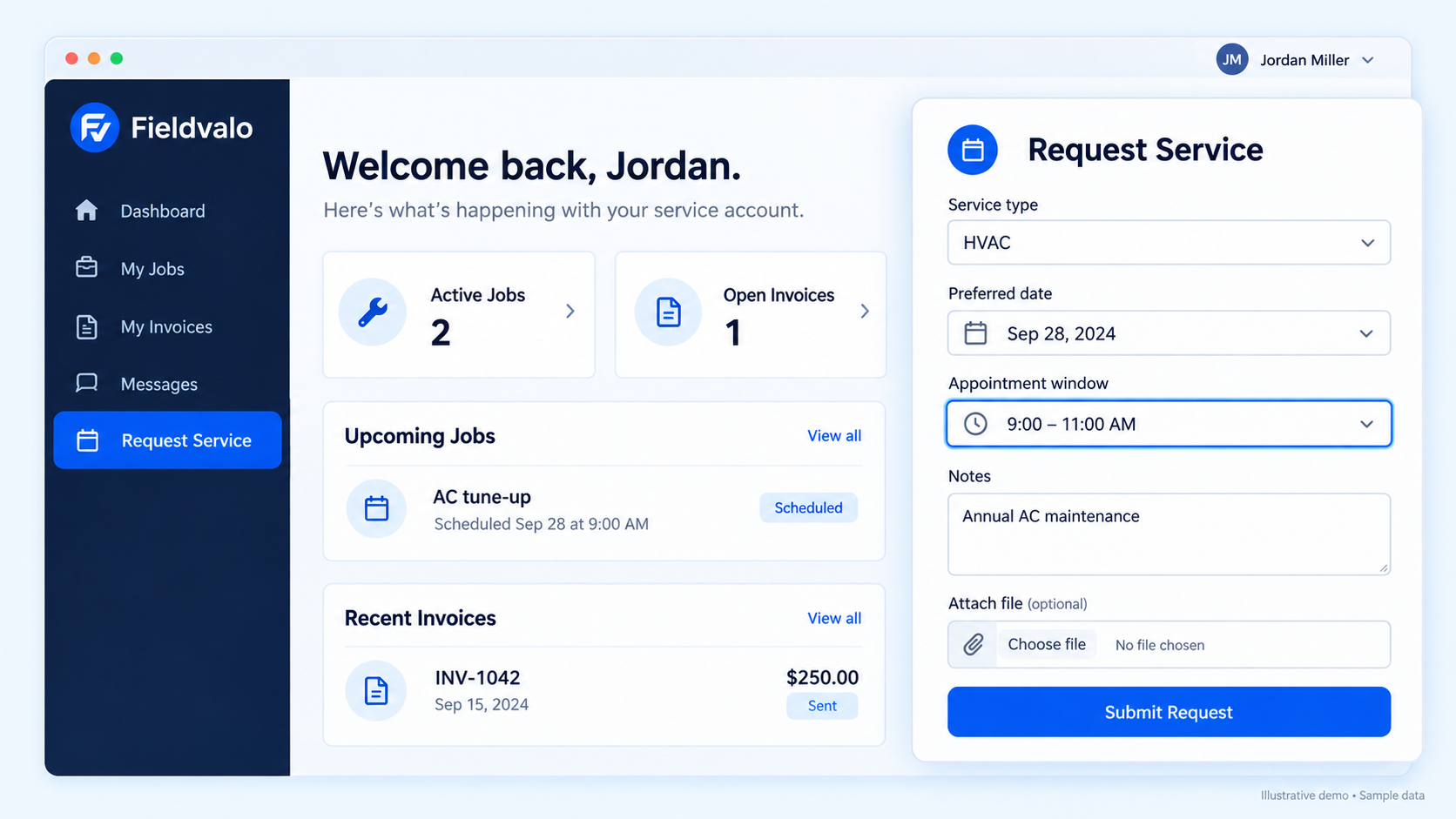
The resource library explains the operational ideas. Fieldvalo CRM brings client records, requests, jobs, documents, communication, portals, and backups into one working system.